
Houdini Shelf Tool
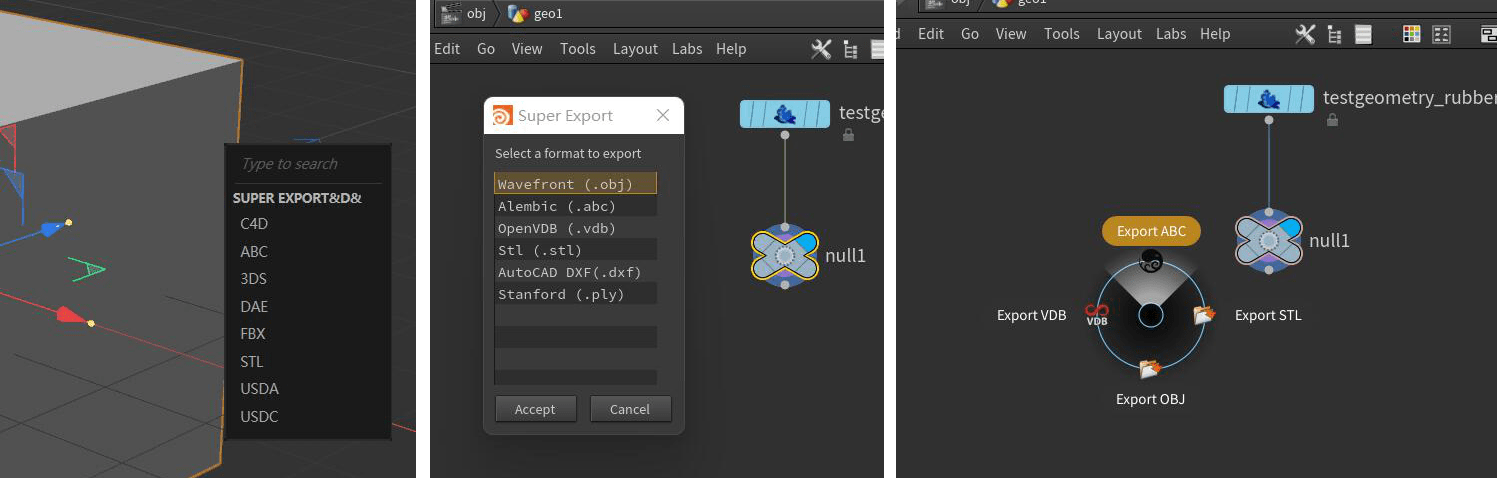
Super IO includes a Houdini shelf tool for sending model files between Houdini and Blender through the clipboard workflow.
Requirements
- Houdini 18 or newer with Python 3.
- Windows for the bundled Houdini clipboard scripts.
- A packaged Super IO release installed and enabled in Blender.
The bundled Houdini tool can import obj, fbx, stl, dae, abc, usd, usda, and usdc files from the clipboard.
Install From Blender
- In Blender, open
Edit > Preferences > Add-onsorEdit > Preferences > Extensions. - Open the Super IO preferences.
- In
Third-party, clickInstall Houdini Package. - Pick the matching Houdini version.
- Confirm the
Packages Path, usuallyDocuments/houdini{version}/packages. - Click
Install.
Super IO writes an SPIO.json package file that points Houdini to the bundled Super IO for Houdini v0.4 folder.
Add The Shelf In Houdini
- Open Houdini.
- Click the
+button on the shelf area. - Find
SPIOand add it to the shelf. - Assign shortcuts to both
Super importandSuper export.
The shortcuts are required. The Houdini scripts use the Network Editor under the mouse cursor to decide where to create or edit nodes.
Use Super Import
- Export or copy supported files from Blender.
- In Houdini, move the mouse over the Network Editor at SOP level.
- Press the
Super importshortcut.
If no node is selected, Super IO creates file, Alembic, or USD import nodes in the current network. If one compatible node is selected, Super IO fills that node's file path first, then creates nodes for any remaining files.
Use Super Export
- In Houdini, select the SOP node you want to export.
- Move the mouse over the Network Editor.
- Press the
Super exportshortcut. - Paste or import the exported file in Blender.
Troubleshooting
NoneType object has no attribute pwd
This usually means the shelf tool was clicked directly, or the mouse was not over Houdini's Network Editor when the shortcut ran.
Move the mouse over the SOP Network Editor and trigger Super import or Super export with the assigned shortcut.
No Files Found
Confirm that the clipboard contains file paths and that the files use a supported extension.